Best calorie tracker for iPhone: what to look for in 2026
Choosing a calorie tracker for iPhone? Here are the features that matter most for food logging, macros, weight tracking, Apple Health, and consistency.
Logly
Food tracking guides
The App Store has hundreds of calorie trackers. Most of them work, technically. Very few of them are actually good at helping you track food consistently over weeks and months without feeling like a burden.
The best calorie tracker for iPhone is not necessarily the one with the largest food database or the most charts. It is the one that fits how you actually eat, makes logging fast enough that you do not dread it, and shows you the information that helps you make progress — not just the information that looks impressive on a marketing page.
Here is what actually matters when choosing a calorie tracker for iPhone in 2026, and how to evaluate apps against criteria that will determine whether you stick with it.
The main reason people quit calorie trackers
Before listing features, it is worth understanding why people abandon calorie trackers. Studies on self-monitoring adherence consistently show that the biggest predictor of whether someone keeps tracking is how long it takes to log a meal. When logging takes more than a minute or two, consistency drops off sharply within the first few weeks.
This means the most important feature of any iPhone calorie tracker is not the accuracy of its database, the quality of its charts, or the sophistication of its AI. It is how fast you can log a meal from the moment you open the app to the moment you close it.
1. Fast meal logging — the make-or-break feature
A good iPhone calorie tracker should let you log a meal in under 30 seconds for most situations. Whether that is through natural language input, voice logging, barcode scanning, photo recognition, or a quick search, the process needs to be fast enough that you will actually do it every day.
AI-powered natural language logging has become the fastest option for most meals. Instead of searching for each ingredient separately, you type or dictate: "rice with chicken stir fry, medium portion" and the app handles the rest. This is particularly valuable for iPhone users who eat on the go and do not want to spend several minutes logging a single meal.
For packaged foods, barcode scanning is still the most accurate method and should be fast on any modern iPhone. Tap, scan, set serving size, done.
2. Calories and macros in a clear layout
A calorie tracker that only shows total calories is less useful than one that shows the macro breakdown. Calories tell you about energy intake. Protein, carbs, and fat tell you about the quality and structure of that intake.
The best iPhone calorie trackers show your daily calorie and macro progress on the main screen without requiring any navigation. You should be able to open the app and immediately see how many calories and grams of protein you have left for the day. If those numbers require tapping through multiple screens, the app has a design problem.
3. Weight and progress tracking in the same app
Food logs become meaningfully more useful when you can compare them with your progress. If you logged your meals consistently for two weeks and your weight went down, you have evidence that your approach is working. If you tracked consistently and weight is unchanged, you have evidence that your calorie estimates may be too high or your target too generous.
Having weight tracking, progress photos, and body measurements in the same app as your food log means you do not need to cross-reference multiple apps to understand the relationship between your diet and your results.
4. Apple Health integration
Apple Health is the central health data hub on iPhone. A calorie tracker that integrates with Apple Health can read your step data, share nutrition data with other apps, and keep your health information in one place. This integration is not essential, but it adds value for iPhone users who already use Apple Health as their health dashboard.
The integration should work in both directions: writing nutrition data to Apple Health so other apps can see it, and reading relevant data like steps or workouts from Apple Health if the tracker uses that for calorie adjustments.
5. A clean interface that respects your time
More features do not make an app better. More features that are well-designed and placed where you need them make an app better. An app that buries its most-used features, displays cluttered dashboards, or requires multiple taps to do basic actions is imposing a tax on every interaction.
The best iPhone nutrition apps follow iOS design conventions: clear hierarchy, intuitive navigation, responsive interactions, and no dark patterns that try to push you toward premium features you did not ask for. When an app feels native to iPhone, it is easier to build the habit of using it daily.
6. Useful notifications without spam
A well-placed reminder to log lunch or drink more water can meaningfully improve consistency. A tracker that sends multiple notifications per day with gamified urgency messages will quickly get its notifications turned off, and then its usefulness drops.
The best trackers give you control over when and how often notifications appear, with sensible defaults that support your goals without becoming intrusive.
7. A pricing model that makes sense
Most calorie trackers use a freemium model. The free tier gives you basic tracking, and the paid tier unlocks macros, insights, or advanced features. Evaluate whether the free tier is actually useful on its own before committing to a subscription. If the free tier is a functional tracker, the app is trying to earn your subscription through value. If the free tier is essentially a teaser with all useful features locked, the app is trying to earn your subscription through frustration.
Why Logly is built for iPhone users
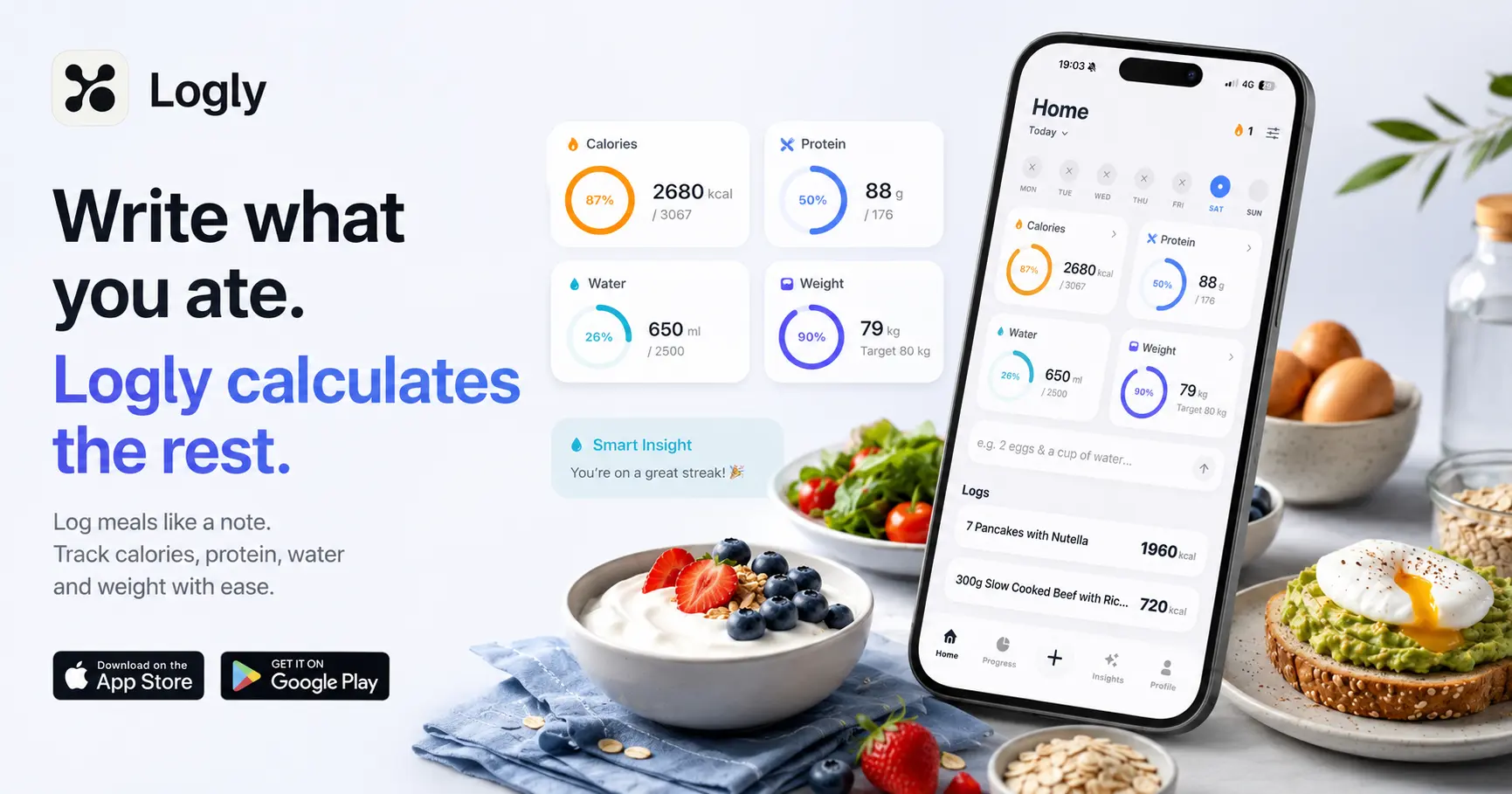
Logly is designed from the ground up for iPhone. The core experience is AI-powered natural language food logging: you write what you ate, and Logly estimates the calories, protein, carbs, fat, and other nutrition details. The main screen shows your daily calorie and macro progress at a glance, and the same app includes weight tracking, water intake, progress photos, body measurements, and weekly insights.
Simple promise
Write what you ate. Logly handles the rest — calories, macros, protein, water, weight, and your progress journey in one place.
FAQ
What is the best free calorie tracker for iPhone?
The best free calorie tracker for iPhone depends on how you eat and what features matter most. Apps with free tiers that include AI logging, macro tracking, and basic progress features are worth trying first. Evaluate whether the free tier gives you enough to make progress before deciding whether a paid upgrade is worthwhile.
Does Logly work with Apple Health?
Logly is available on the App Store and is built for iPhone. For current details on Apple Health integration, check the App Store listing or app settings after downloading.
Can I track macros on iPhone without a food scale?
Yes. AI-powered calorie trackers like Logly are specifically designed to produce macro estimates from meal descriptions without requiring weighed ingredients. The estimates are less precise than weighed tracking but are accurate enough to identify patterns and make progress.
Track meals faster
Food tracking should feel simple.
Logly helps you log meals with AI, track calories and macros, follow your weight trend, add progress photos, and stay consistent without making nutrition feel like homework.
Related guides